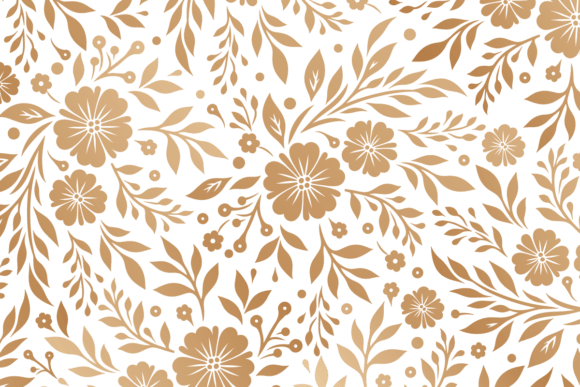
Elevate Your Pages with Decorative Backgrounds
Scrapbooking has always been about more than just gluing photos onto a page; it is the art of storytelling. Every memory deserves a setting that reflects its mood, whether it is the joy of a birthday party, the quiet nostalgia of a family vacation, or the milestone of a graduation. This is where a decorative background for scrapbooking becomes an essential tool in your creative arsenal. Instead of starting with a blank, intimidating white sheet, you begin with a foundation that already speaks volumes. These digital papers provide the texture, color, and atmosphere needed to make your layouts pop without requiring hours of manual painting or complex design skills.
When we talk about enhancing your projects with beautifully designed backgrounds, we are discussing efficiency and aesthetic cohesion. Imagine trying to create a vintage-themed page from scratch. You would need to find the right paper, distress the edges, add subtle watercolor washes, and ensure the lighting looks authentic. With high-quality digital backgrounds, all that work is done for you. The value lies in the immediate access to professional-grade designs that look handcrafted but are ready to use in seconds. For beginners, this removes the barrier of entry, allowing them to focus on arrangement and storytelling rather than struggling with base layers. For professionals and small business owners, it saves valuable time, enabling faster turnaround for client projects or personal portfolios.
Why Digital Papers Are a Game Changer
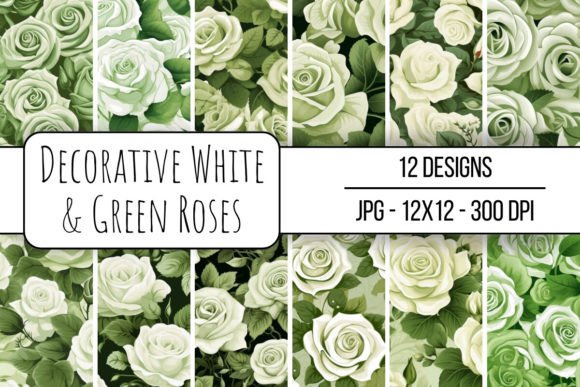
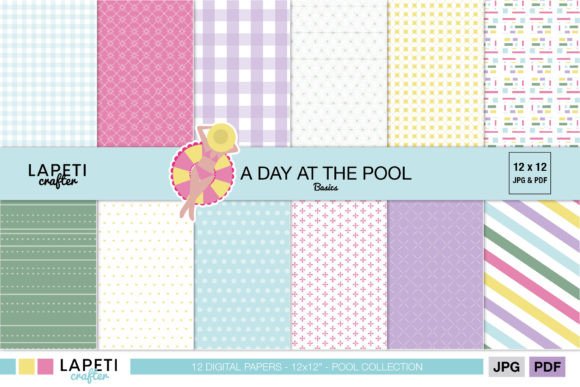
The shift from physical paper packs to digital assets has revolutionized how crafters approach their hobbies and businesses. A primary advantage is consistency. When you purchase a physical pad of paper, you are limited to the specific patterns included in that pack. If you need a specific shade of teal with a subtle floral overlay for a project three months from now, finding that exact match can be impossible. Digital files solve this problem permanently. Once you download a set of 12 JPG 300 dpi digital papers, you have unlimited access to those designs. You can print them as many times as you need, ensuring that a series of albums or a collection of handmade cards maintains a unified look.
Furthermore, the resolution matters immensely when printing. The files included in this collection are sized at 12x12 inches (30x30 cm) with a resolution of 300 dpi. This is the industry standard for high-quality printing. Lower resolution images often appear pixelated or blurry when printed, which can ruin an otherwise beautiful layout. By using files specifically engineered for print, you guarantee crisp lines and vibrant colors that rival store-bought specialty paper. This level of quality appeals not just to hobbyists, but also to educators creating classroom materials, bloggers designing printable planners, and entrepreneurs producing marketing collateral where image clarity is non-negotiable.
Versatile Applications Beyond the Album
While the term "scrapbooking" is in the name, the utility of these decorative backgrounds extends far beyond traditional photo albums. The modern creator wears many hats, and these assets support a wide variety of ventures. Consider a freelance graphic designer who needs a textured backdrop for a social media post promoting a local bakery. A soft, flour-dusted background from a digital paper set can provide that perfect rustic feel without the need for a photoshoot. Similarly, teachers can use these patterns to create engaging worksheets, certificate borders, or bulletin board displays that capture students' attention.
For small business owners, particularly those selling handmade goods on platforms like Etsy or at local craft fairs, branding is key. Using a consistent set of decorative backgrounds for product tags, thank-you cards, and packaging inserts helps establish a recognizable brand identity. If you sell jewelry, a velvet-textured digital paper can elevate the perceived value of your product photography. If you run a blog, these backgrounds can be used as headers, dividers, or even printed as stationery for reader mail. The flexibility of having both JPG and PDF formats means you can integrate these designs into almost any workflow, whether you are using advanced design software or simple word processors.
Getting Started: What You Need to Know
If you are new to using digital assets, the process might seem slightly different from buying a physical pad of paper, but it is quite straightforward. When you acquire this collection, you will receive a compressed file known as a ZIP file. Think of a ZIP file as a digital suitcase; it holds all your items together to make downloading easier and faster. Before you can see your beautiful papers, you need to "unpack" or extract this suitcase. Most computers have this capability built-in. On a Windows PC, you typically right-click the file and select "Extract All." On a Mac, you simply double-click the file, and it automatically opens a folder containing your contents.
It is important to ensure you are comfortable with this step before purchasing, as inability to open the file is a common hurdle for first-time digital buyers. Once extracted, you will find 12 unique JPG files and 1 PDF document containing all the papers ready to print. The PDF is particularly convenient if you want to print all the designs at once on a home printer or send them to a professional print shop without managing twelve separate image files. The JPGs are ideal if you plan to import the textures directly into digital design programs like Photoshop, Canva, or Procreate for hybrid projects where you combine digital elements with physical photos.
Making the Right Choice for Your Project
Choosing the right background is about understanding the emotion you want to convey. A busy, intricate pattern might overwhelm a page filled with detailed journaling or many small photos. In such cases, a subtler, textured background works best to frame the content without competing for attention. Conversely, if your layout features a single, striking portrait, a bolder decorative background can add the necessary drama and elegance. Always consider the contrast between your photos and the background. Darker photos often sing against lighter, airy backgrounds, while light-filled snapshots can look stunning against deeper, richer tones.
Another practical consideration is the medium you are working with. If you are printing at home, check your printer's capabilities regarding cardstock weight. These digital files are designed to be printed on standard scrapbook cardstock, which provides durability and prevents ink bleed-through. If you are working digitally, remember that layering is your friend. You can lower the opacity of a decorative background to create a watermark effect or blend it with other colors to customize the hue to your specific theme. This adaptability makes these tools invaluable for creators who want a custom look without the custom effort.
Ultimately, incorporating a decorative background for scrapbooking into your workflow is about reclaiming your creative energy. It allows you to bypass the tedious setup phases and dive straight into the heart of your project: capturing memories and adding a touch of elegance to your creations. Whether you are preserving family history, building a brand, or simply enjoying a relaxing afternoon of crafting, these beautifully designed papers provide the perfect canvas. With the convenience of instant download and the versatility of high-resolution formats, you are equipped to turn ordinary pages into extraordinary keepsakes. Ideal for all your crafting needs, this collection ensures that every project you touch feels polished, professional, and deeply personal.